
Penguin Multi Tool – Service Credits for FRP Unlock & Mobile Repair
Penguin Multi Tool
$1.26
🐧 Penguine Multi Tool – Service Credits (Existing Account)
Penguine Multi Tool is a lightweight Windows tool for Android repair: FRP removal, Mi Account / Realme ID removal, screen unlock, MTK flash operations and factory reset for Xiaomi, Realme, Oppo, Vivo, Samsung and more.
This product adds credits to your existing Penguine Multi Tool account. Enter your account username and the number of credits you need – credits are transferred to your account, usually within a minute.
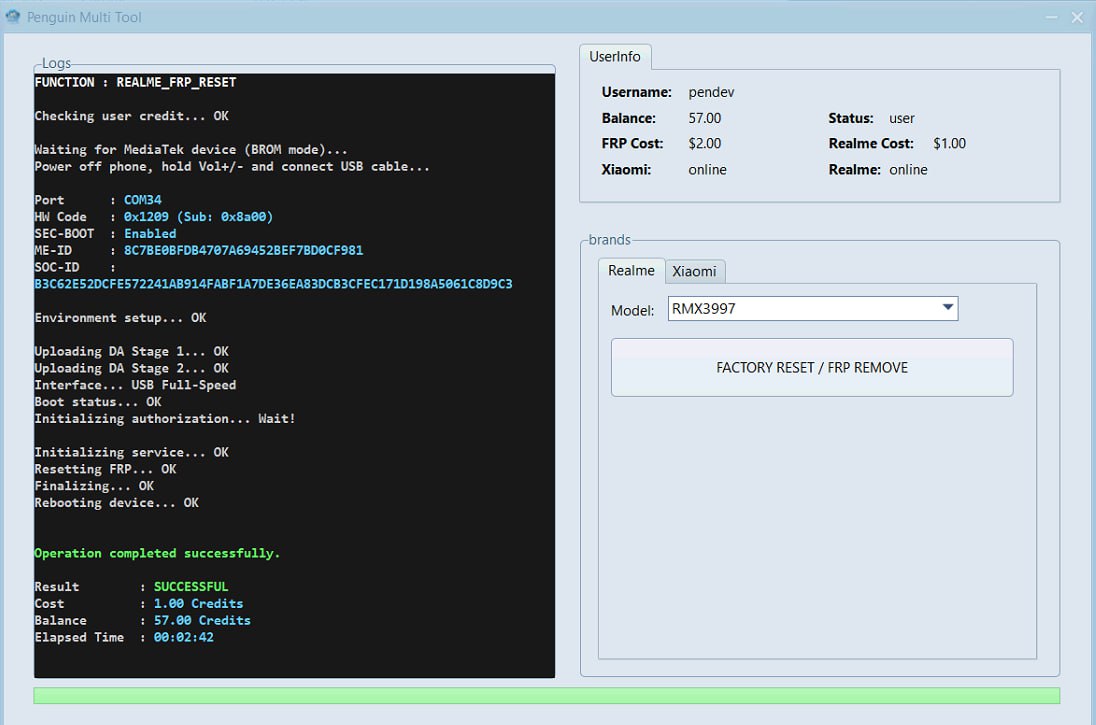
Penguine Multi Tool interface (official screenshot)
🚀 Key Features
- ✔️ Xiaomi FRP Remove – Mi Account & Google FRP on Xiaomi, Redmi and POCO via Test Point or ADB
- ✔️ Realme FRP Remove – Realme ID & Google account verification on Oppo and Realme
- ✔️ Screen Unlock – Pattern, PIN and Password (Android 10–14)
- ✔️ MTK Support – Read/Write Flash, Format and Bootloader repair on MediaTek
- ✔️ Auth Bypass for supported flashing operations
- ✔️ Factory Reset – deep clean reset
- ✔️ Automatic model detection with real-time logs
📱 Supported Brands & Chipsets
- ✔️ Xiaomi / Redmi / POCO
- ✔️ Realme / Oppo / Vivo
- ✔️ Samsung Galaxy series
- ✔️ Qualcomm Snapdragon, MediaTek (MTK) and Spreadtrum chipsets
👉 Available functions depend on the exact model, chipset and security version.
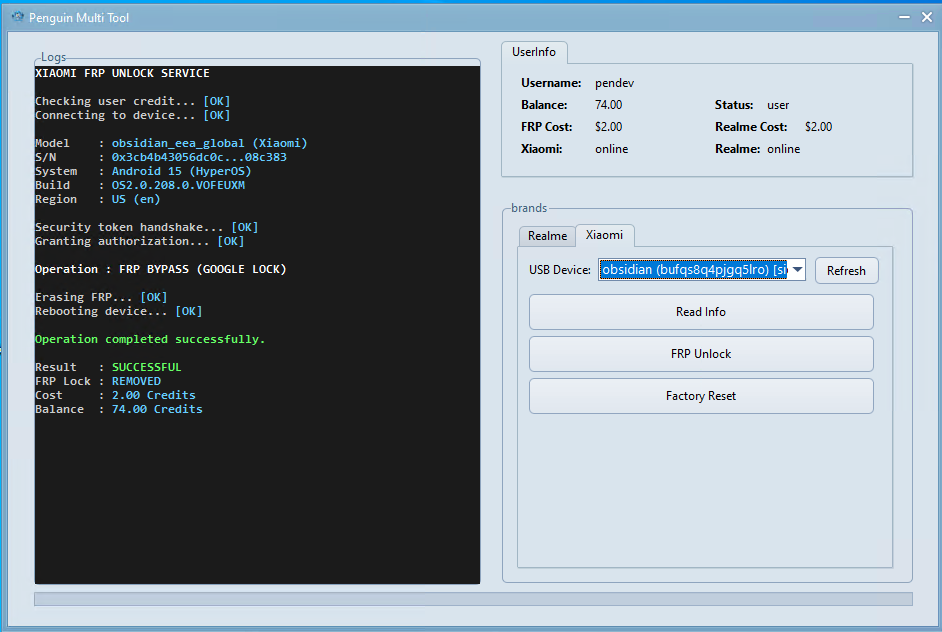
Multi-brand support (official screenshot)
🛒 How to Order
- Download Penguine Multi Tool and register / log in to your account.
- Enter your exact Penguine account username and the number of credits.
- Place the order – credits are added to your account, usually within 1 minute.
- Restart the tool to see your new balance.
⬇️ Download & Official Links
Windows 7 / 8 / 10 / 11 (64-bit), requires .NET Framework 4.8.
⬇️ Download Tool 📖 Features & Supported Devices 🌐 Official Website✅ GsmGenesis is listed in the Authorized Resellers section of the official website.
⚠️ Important Notes
- ✔️ For existing Penguine Multi Tool accounts only – register in the tool first.
- ✔️ Double-check your username. Credits sent to a wrong account cannot be moved.
- ✔️ Total price = price per credit × quantity.
- ✔️ Use only on devices you own or are authorized to service.
- ✔️ Digital product – no refund after credits are delivered.